
Resizing your Images
A good quality photograph or scan of your artwork helps your tutor give you the most accurate and helpful feedback possible, so it is worth taking a little care before you upload.
Please follow these guidelines when submitting work via The Art Room:
- Save and upload all images as JPEG files.
- Upload a maximum of 20 images per submission.
- Upload images individually rather than collating them in a Word doc or PDF - unless otherwise advised.
- Rotate images so they are the correct way up before uploading.
- Crop images so that only the artwork is visible, with no frames, mounts or backgrounds showing.
- Aim for an image around 1500 to 2000 pixels wide.
- Keep each file to a maximum of 2mb. This helps protect our server and ensures your tutor can download and view your work quickly and easily.
Taking a good photo of your artwork
Good lighting makes an enormous difference. Natural daylight is ideal, but avoid direct sunlight which can create harsh reflections. Photograph your work straight on rather than at an angle, and make sure the image is in focus before sending. If your first attempt looks blurry or dark on your screen, it is worth taking it again!
Resizing your images
If your photos are coming out larger than 2mb, you will need to reduce them before uploading. Here are some simple ways to do this:
- Windows: Open the image in Photos, click the three dots menu and choose Resize.
- Mac: Open the image in Preview, go to Tools and choose Adjust Size.
- iPhone: The free Image Size app is simple and easy to use, and will save resized images as new files so your originals are safe.
- Any device: The free online tool Squoosh lets you resize and compress images quickly in your browser with no download needed. Set the quality slider to around 65 to 70% for a good balance of quality and file size.
When resizing, always save as a new file and do not overwrite your original. For more advanced editing, the free software GIMP is a great option and we have tutorials to help you get started.
If you have any questions at all, please don't hesitate to contact us. We are always happy to help!
What a good image looks like: a perfect example
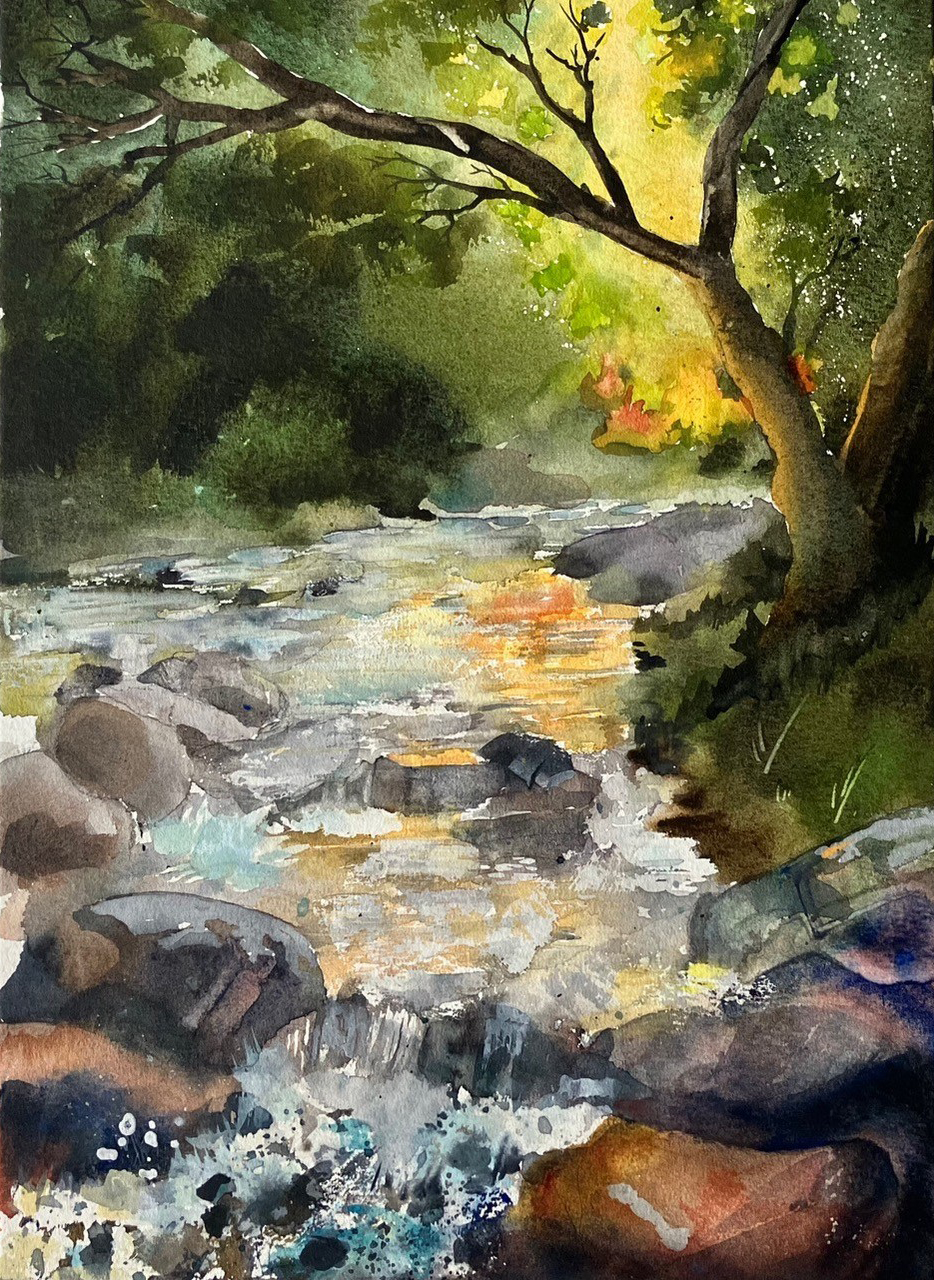
Not sure if your photo is good enough? Take a look at the image below by London Art College student Philip Hatter, and use it as your guide.
This is exactly what we are looking for. The painting fills the entire frame with no distracting backgrounds, mounts or furniture visible. It is photographed straight on from directly above, so there is no distortion or angle. The image is sharp and in focus throughout, and there is no glare or shine on the surface. The file itself is 1.1mb and 934 x 1280 pixels, which is a perfect size for submitting to your tutor or entering the competition.
If your photo looks like this, you are good to go! If it looks darker, blurry, or you can see the edges of a table or floor around it, it is worth taking it again. A little extra care at this stage makes a real difference to how your work is received and displayed.
Image: Philip Hatter, London Art College student.
Sending Images for the Annual Art Competition
Competition entries need to be as large and clear as possible so that your work looks its best when displayed on the website and reviewed by our tutors. Please read these guidelines carefully before submitting.
- Send ONE image only, as a JPEG file (.jpg).
- Your image should be at least 1000 pixels wide, and larger is always better.
- If you are using an iPhone or Android smartphone, simply send the original photo straight from your camera roll without resizing. Smartphone photos are already large enough and no editing is needed.
- Make sure your artwork is well-lit, in sharp focus and photographed straight on, not at an angle.
- Crop the image so that only your artwork is showing, with no frames, mounts, backgrounds or surrounding furniture visible.
- Rename your file with your full name and student number before sending, for example: JaneDoe_12345.jpg
- Email your entry to entries@londonartcollege.co.uk
The clearer and larger your image, the better your work will be represented. If you are unsure whether your image is good enough, a simple rule of thumb is: if it looks sharp and clear on your own screen when zoomed in, it will work well for us too. If you have any questions please don't hesitate to email us at any time.